| English | Japanese |
Yesterdays access |
|
| Page Top | [Lily Diary.】 A diary of life in Mindanao. |
| 26/09/22 | Kenpro Rotator Interface |
| 26/09/18 | SatBox KiCad PCB and firmware |
| 26/06/01 | Weather Monitor soft |
| 26/05/21 | JTDX Auto Run Ver0.7.6 BUGFIX |
| 26/04/20 | WSJT-X Auto Run Ver0.1.5 |
| 26/04/08 | ESP32-S3 software for using KENWOOD AT-300 with YAESU radios |
| 26/01/08 | WSJT-X Remote Operation |
| 26/01/07 | JTDX Remote Operation |
| 26/01/04 | log_reciver_Ver2.6.6 software |
| 25/11/16 | WSJT-X Automatic operation Ver0.1.1 |
| 25/11/04 | APRS TNC software Ver1.2 |
| 25/10/10 | APRS TNC software Ver1.0 |
| 25/09/23 | APRS TNC software Dire Wolf with Hamlib |
| 25/08/10 | Software List |
| 25/08/18 | JTDX Automatic operation Ver0.6.3 |
| 25/07/20 | A program to create one months worth of ADIF files from JTDX Ver2.6.5 |
| 25/07/13 | CQ Machine Program Ver1.5_2 |
| 25/07/10 | AutoCWType_Ver1.4.5 |
| 25/07/10 | JTDX Autonomous Driving Ver0.4.4 |
| 25/06/15 | Time setting Ver0.5 |
| 25/06/10 | Google, DeepL translation API |
| WSJT-X Auto Run Software Ver. 0.1.4 (2026/01/08) | ||||||||||||||||||||||||
|---|---|---|---|---|---|---|---|---|---|---|---|---|---|---|---|---|---|---|---|---|---|---|---|---|
WSJT-X_AutoRun_Ver0.0.6.zip WSJT-X_AutoRun_Ver0.0.8.zip WSJT-X_AutoRun_Ver0.0.9.zip WSJT-X_AutoRun_Ver0.1.0.zip WSJT-X_AutoRun_Ver0.1.1.zip WSJT-X_AutoRun_Ver0.1.4.zip. 
Download count: 37 |
||||||||||||||||||||||||
| This program has been tested with WSJT-X-2.7.1-devel. It didn't work properly with WSJT-X 2.6.1.
| ||||||||||||||||||||||||
 |
 |
|||||||||||||||||||||||
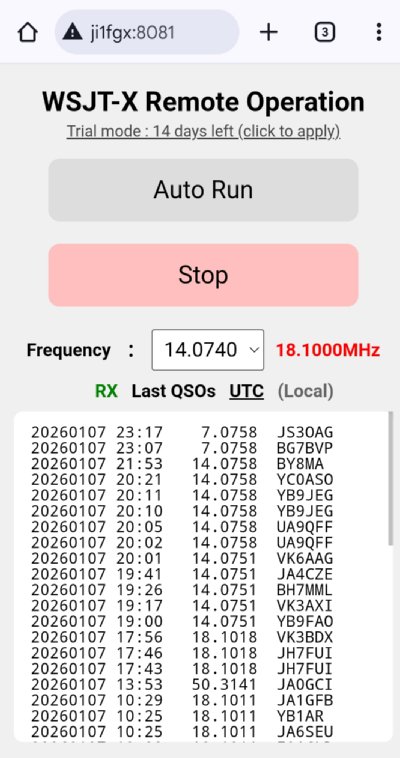
| WSJT-X remote operation will be released as trialware. After the 15-day trial period, you will need to purchase a license to continue using the software. The license application page can be accessed from either a smartphone or a computer. https://ji1fgx.com/en/license_apply.php. 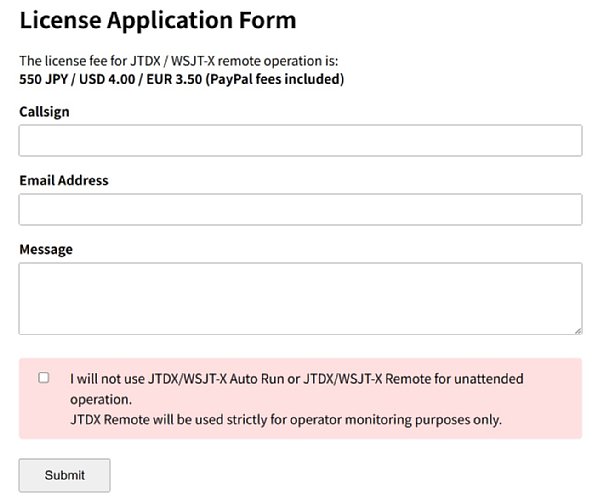 |
||||||||||||||||||||||||
| When you run Install_WSJT-X_AutoRun.exe, a combo box will open, allowing you to switch between Japanese and English. The language selected here will be used to switch the language and icon of the shortcut created on the desktop. The program itself automatically detects the OS language and switches between Japanese, English, and German. 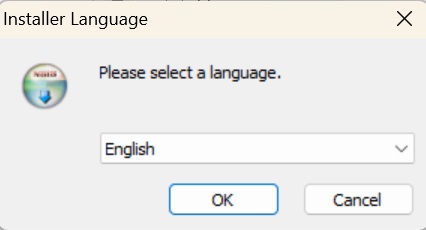 Choose the installation directory I think the default is fine 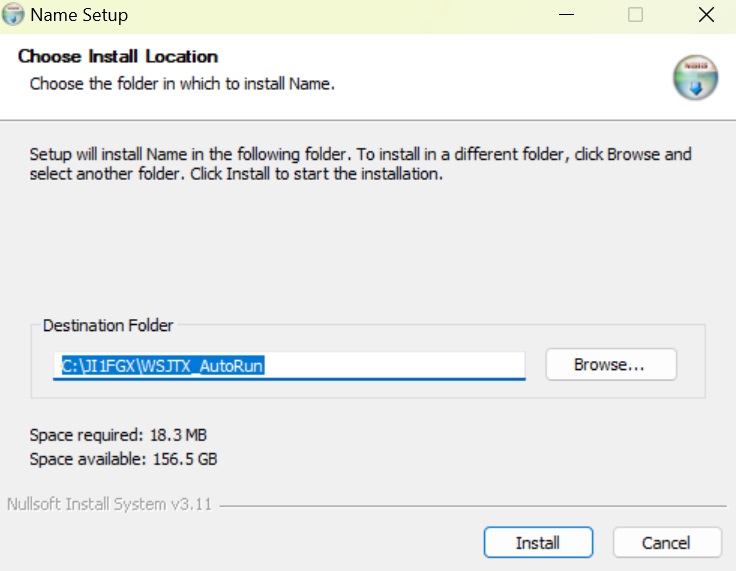 On subsequent installations, it will ask whether to replace settings.ini. If you already have a WSJT-X coordinate recorded, select 'no' If you select 'yes', copy settings.ini to settings.ini.backup. 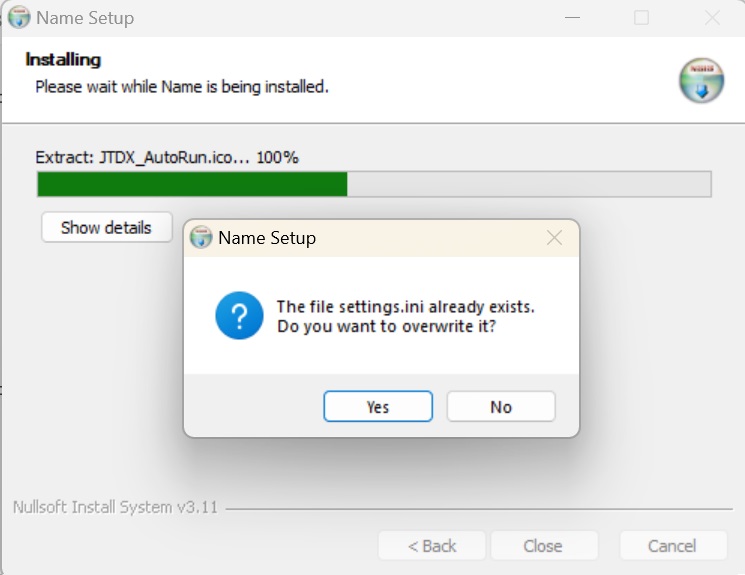
|
||||||||||||||||||||||||
WSJT-X Auto Run is a program that does only these five things for the WSJT-X program. |
||||||||||||||||||||||||
| caveat. The purpose of the development is solely to assist in operation while in front of the computer, not to operate it unmanned. Some awards prohibit automated operation. Please be sure to operate in accordance with the radio wave laws of your country. In Japan, packet radio TNCs are used for 24-hour unmanned operation, so I don't think there's a problem. If anything happens, I, the creator, will not be held responsible. Please use at your own risk. The design philosophy of WSJT-X and JTDX is to exclude automated operation (unmanned operation), and we are aware that this software has received criticism. |
||||||||||||||||||||||||
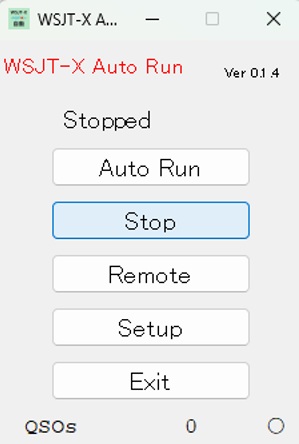
When you start WSJT-X_Auto Run.v0.1.4, this GUI will start.
|
||||||||||||||||||||||||
| If you send a CQ and there is no response and the timeout expires, press 'Stop'-'Enable Tx' to send a CQ again. If you call another station or the retry timeout occurs during communication, you will automatically press 'Stop', then give up the call and press 'Enable Tx' to send a CQ. I think 6 minutes is too long for WSJT-X 'Tx watchdog timer'.4 minutes.mosquito.5 minutes.I think shorter is better. AlsoCQ will continue to be sent forever, so even though it is automatic, monitoring is required.  |
||||||||||||||||||||||||
| When the Log QSO window opens, 'OK' is automatically pressed to end the communication. As a function of WSJT-X, you cannot send the next CQ. Press 'Stop' and then 'Enable Tx'. 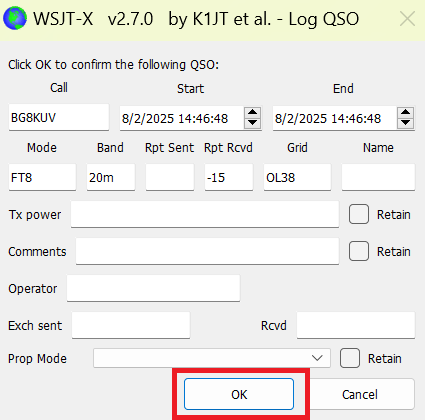 |
||||||||||||||||||||||||
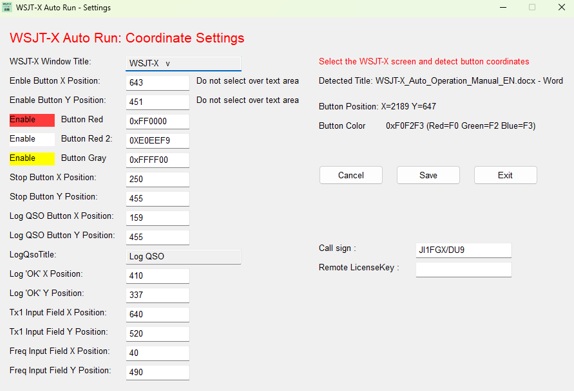
| Before using it, you need to get the button coordinates with 'setting'. Also, if you change the window size of WSJT-X, you will need to re-take the coordinates in the settings. Below is the screen that opens when you click 'setting'. Make sure the WSJT-X window is active and check the following items: Once you have taken the coordinates, press 'keep' and then 'end'WSJT-X.and.WSJT-X Auto Run.Please restart your computer.
 |
||||||||||||||||||||||||
|
||||||||||||||||||||||||
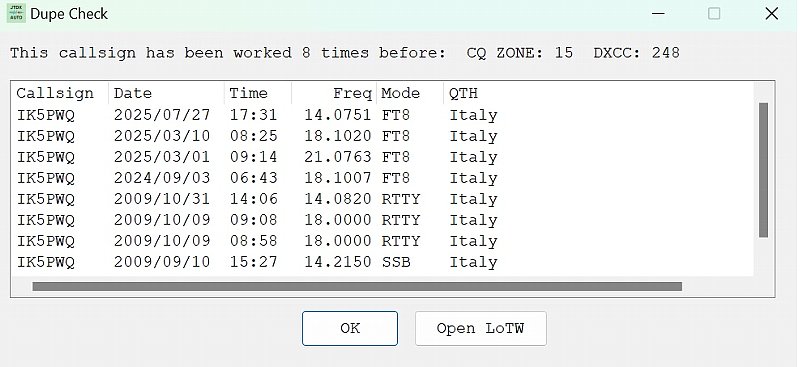
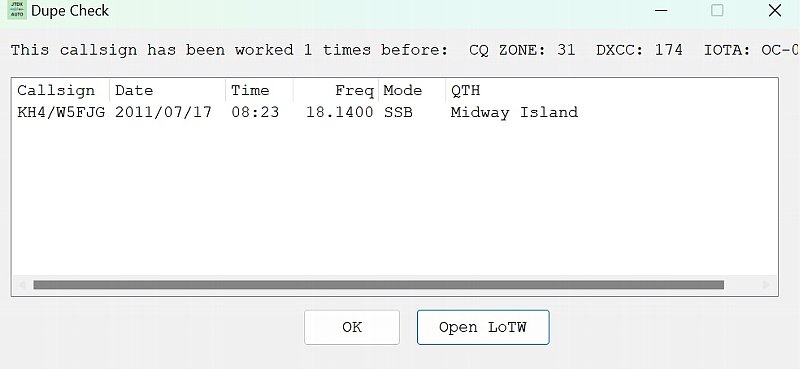
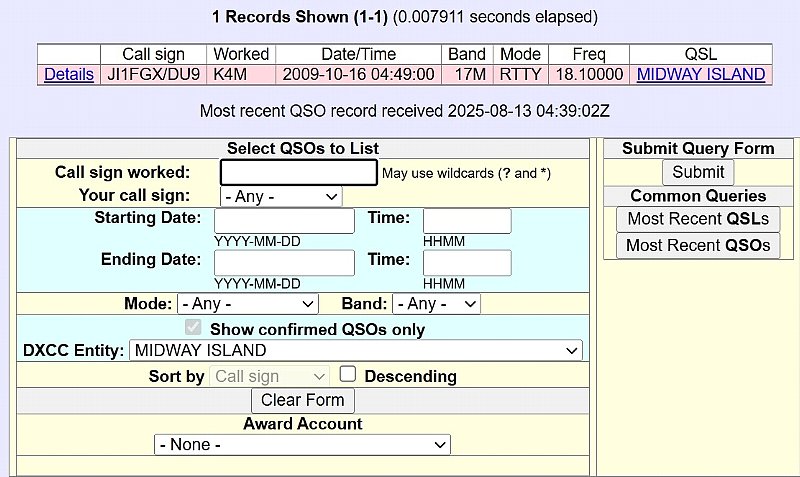
| Log search and entity search. Enter your callsign in the Tx1 field either manually or by regular communication and press enter. When manually entering, just enter the callsign or prefix you want to search for. This feature can be used even if you are not 'Autonomous driving'. 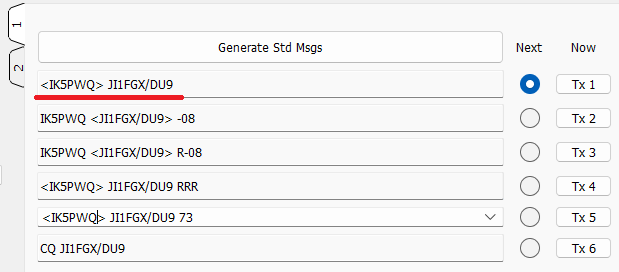 |
||||||||||||||||||||||||
 |
||||||||||||||||||||||||
 |
||||||||||||||||||||||||
 |
||||||||||||||||||||||||
 |
||||||||||||||||||||||||
| January 7, 2026. January 10, 2026. | ||||||||||||||||||||||||